Link cloaking explained: show people your offer, and keep bots on a safe page
What link cloaking is, who really opens your links, and how to set up a safe page and a money page on one short link in two minutes.
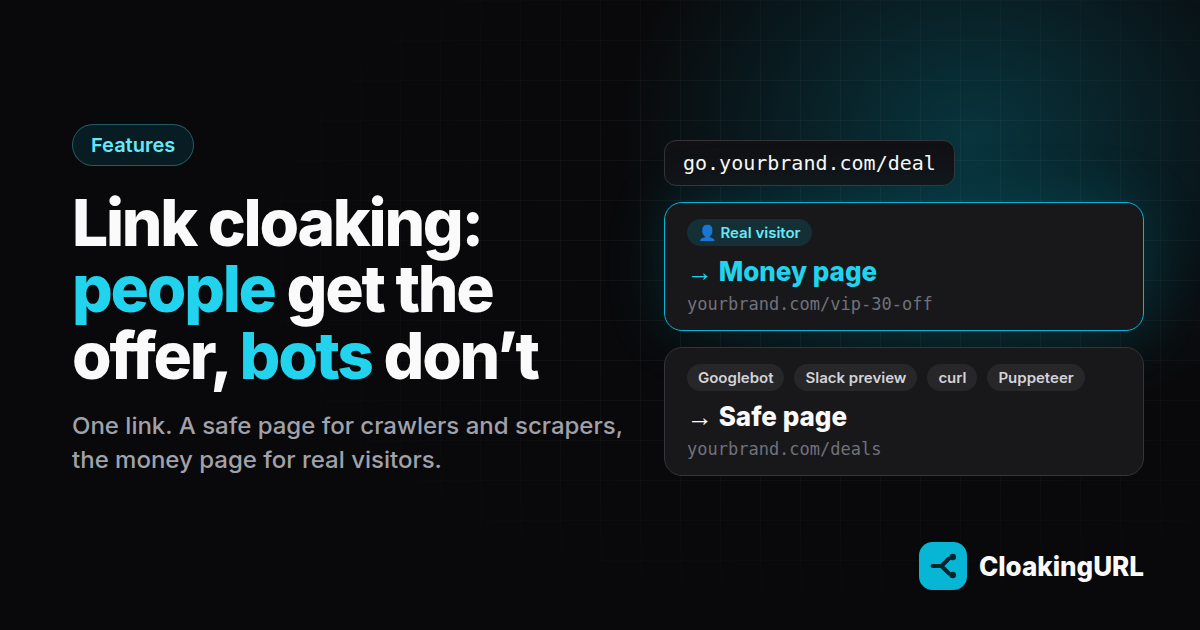
Paste a link into a group chat and, before a single person taps it, a few machines have already opened it. The chat app fetched it to build a preview. A crawler picked it up from a public page. Someone's scraper collected it into a list of "deals". By the time a real customer clicks, your discount URL, your affiliate ID and your campaign parameters have been read by software you never meant to reach.
Link cloaking fixes that with one rule: people get the money page, bots get a safe page. This post explains how it works in CloakingURL, how to set it up, and where its limits are.
What link cloaking is (and what it isn't)
A cloaked link is a normal short link on your own domain, for example go.yourbrand.com/deal, with two destinations instead of one:
- Money page: the page you actually want people to see. Your offer, your checkout, your affiliate destination.
- Safe page: a real, public page that makes sense on its own, such as your deals overview or your home page. This is where automated traffic goes.
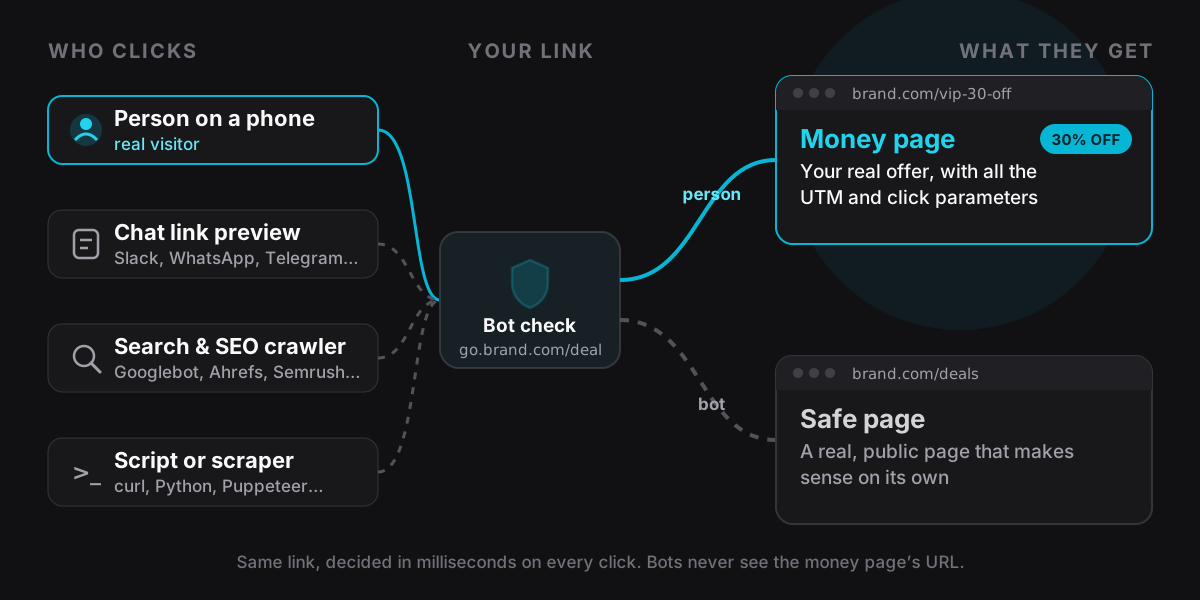
On every click, CloakingURL decides in the redirect itself, in milliseconds, whether the visitor is a person or a bot, and sends them to the matching page. The short link never changes, so you can swap either page later without touching anything you've posted.
What it isn't: a way to show ad reviewers or platform moderators a different page from the one your customers see. That breaks the rules of Facebook, Google, TikTok and nearly every other platform, and our Terms of Service. More on that at the end.
Who actually opens your links
Most link owners think "click" means "person". In practice a link that gets shared picks up a steady stream of machine traffic:
- Link-preview fetchers: Slack, WhatsApp, Telegram, Discord, LinkedIn, X and Facebook open every link pasted into them to read the title and image.
- Search and SEO crawlers: Googlebot, Bingbot, Applebot, plus tools such as Ahrefs, Semrush and Majestic that map who links where.
- Scripts and scrapers: curl, python-requests, axios, Scrapy, and headless browsers driven by Puppeteer, Playwright or Selenium. This is how coupon sites and competitors harvest offers.
None of them buy anything. But each one can see your destination URL, its query parameters and whatever is on the page, and each one can count against a click cap or muddy your numbers.
How CloakingURL tells a bot from a person
A click is treated as a bot when any of these is true:
- The browser sends no user agent at all.
- The user agent names a known crawler or preview fetcher (Googlebot, Bingbot, Yandex, Baidu, Applebot, Facebook, X, LinkedIn, Slack, Telegram, WhatsApp, Discord, Pinterest, Ahrefs, Semrush, Majestic and similar).
- It is a headless or automated browser: Headless Chrome, Puppeteer, Playwright, Selenium, PhantomJS.
- It is an HTTP library or command-line tool: curl, wget, python-requests, axios, node-fetch, Go, Java, OkHttp, Scrapy.
- Our edge network scores the request as very likely automated (a bot score from Cloudflare).
Everything else is treated as a person. The check runs inside the redirect engine, so it adds no visible delay, and it applies to every click, not a sample.
Set it up in two minutes
Cloaking is on the Pro plan and works per link, on any domain you've connected.
- Open the link in the dashboard (or create one, for example
go.yourbrand.com/deal). - Go to the Cloaking tab and switch on Cloaking enabled.
- Safe page: enter a public page that stands on its own, such as
https://yourbrand.com/deals. - Money page: enter your offer URL, or leave it blank to keep using the link's targeting rules, A/B split and default destination.
- Keep Bot filtering enabled on and click Save.
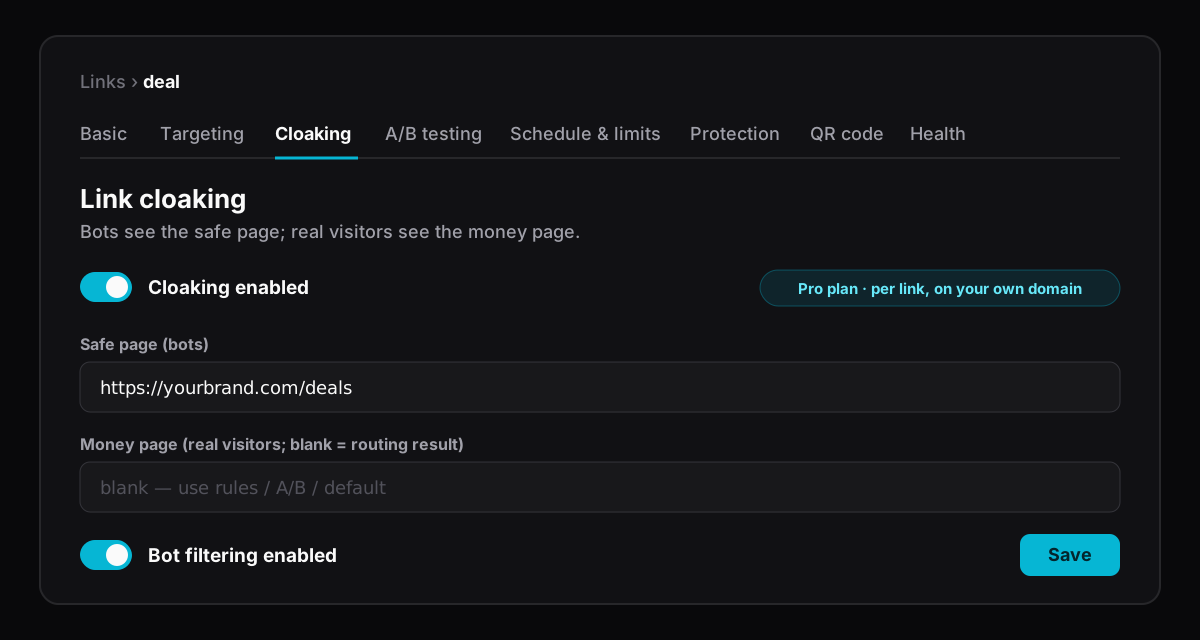
The Bot filtering enabled switch is your pause button. Turn it off and everyone gets the money page, without losing your settings. Turn it back on and filtering resumes on the next click.
Choosing a good safe page
The safe page is not a dead end or a blank page. Anyone might end up there, including a real person on an unusual browser, so pick something that's genuinely useful:
- Your public deals or category page when the money page is a private promotion.
- Your home page or the product's public page when the money page is a checkout or a pre-filled cart.
- The merchant's public product page (without your parameters) when the money page is an affiliate URL.
A good rule: if a customer landed on the safe page by accident, they should still be one or two clicks away from what they wanted.
How cloaking fits with the rest of your link
A cloaked link still has everything else a CloakingURL link can do. The order on each click is:
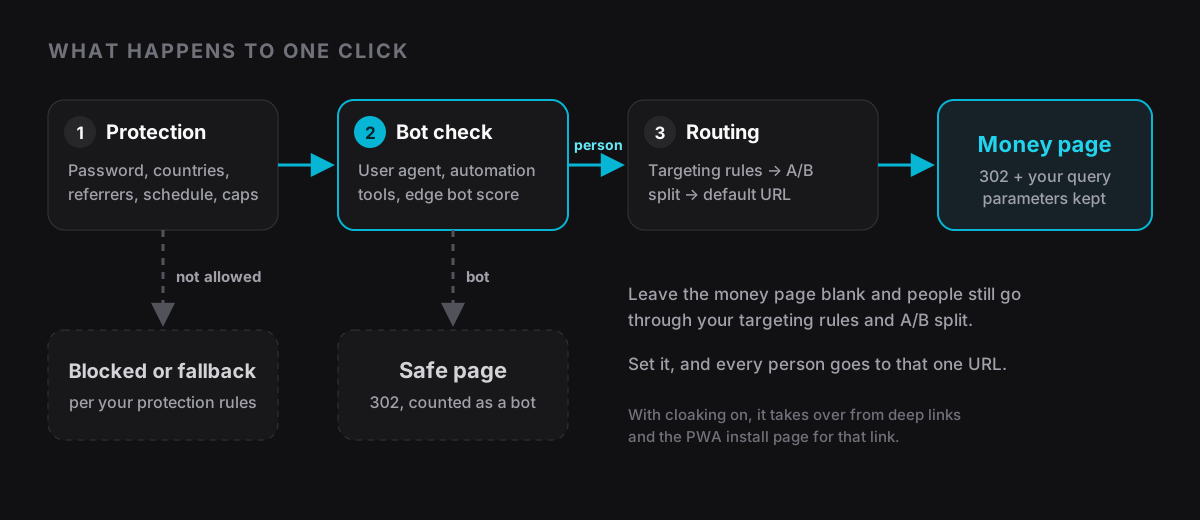
- Protection runs first. Passwords, allowed countries and referrers, schedules and click caps are checked before cloaking. A click they block never reaches the bot check.
- Bots stop at the safe page. They are counted as bots and redirected there with a 302.
- People continue to routing when the money page is blank: your targeting rules by country, device or OS, then your A/B split, then the default destination. Set a money page and every person goes to that one URL instead.
- Your query parameters are kept. UTM tags and click IDs on the short link are passed on to whichever page the visitor gets.
- Cloaking takes over from deep links and the PWA install page on that link, so a bot never sees an app-open page or an install prompt.
Test it before you share it
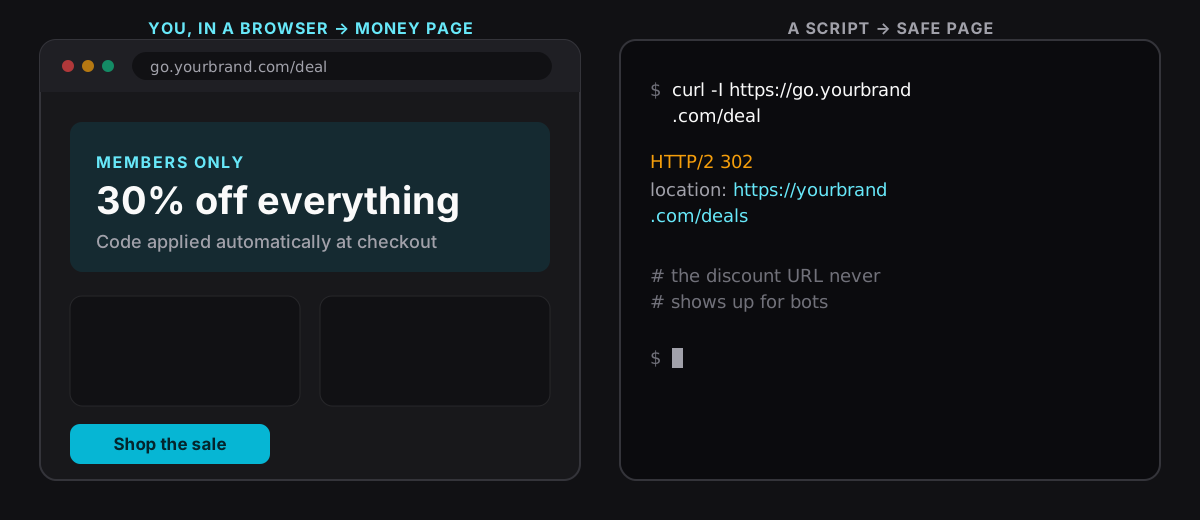
Open the link in your normal browser: you should land on the money page. Then ask for it the way a script would:
curl -I https://go.yourbrand.com/deal
# HTTP/2 302
# location: https://yourbrand.com/deals
The location header points at the safe page. That's exactly what a scraper sees: your discount URL never appears.
See what got filtered
Analytics on CloakingURL count people only: bot clicks are classified on every link, cloaked or not, so they never inflate your visitor numbers. On a cloaked link, the Cloaking tab also shows today's click stream (the latest 100 clicks), with each click marked Human or Bot, and bots named where we recognise them (Googlebot, Slackbot, cURL, Puppeteer and so on), next to country, referrer and UTM source.
It's a quick way to see who's been looking at a link. A burst of Ahrefs or Semrush hits after you post a promotion tells you it's being mapped; a stream of python-requests tells you someone is scraping it.
Four ways teams use it
Private promo codes in groups and chats. Post go.yourbrand.com/vip in your community. Chat previews show your public deals page, people get the members-only discount, and coupon scrapers come away with nothing.
Affiliate links. Keep your affiliate ID and sub-IDs off crawler indexes and link-mapping tools. People still reach the merchant with your tracking intact, because query parameters are passed through. Pair it with country routing for affiliate offers.
Clean click caps and limited offers. A "first 500 clicks" offer shouldn't be used up by preview bots. Bots go to the safe page, so the money page is spent on people. See expiring links for caps and fallbacks.
Keeping funnels out of spy tools. Landing pages you're still testing don't need to show up in competitors' SEO and backlink tools. Send crawlers to your public site while you iterate.
Limits worth knowing
Detection is based on the request itself. A bot that perfectly imitates a normal phone browser can get through, so treat the money page as something a determined person could find. Cloaking keeps casual and automated traffic away; it is not access control. For content that must stay private, add a password or country restriction on the same link: protection is checked first.
Search engines also see the safe page. That's fine for short links, which aren't pages you want ranked, but don't use cloaking to show Google one version of a page you want indexed and visitors another: search engines treat that as spam (see cloaking in Google's spam policies).
Use it responsibly
Cloaking is built to protect links and keep automated traffic out of your funnel. Don't use it to show ad-network or platform reviewers different content from what users see, or to send people somewhere misleading. Every major ad platform bans that (Google lists it under abusing the ad network), it can get your ad accounts closed, and it's against our Terms of Service. The safe page and the money page should both be pages you'd be happy for anyone to see.
Get started
- Cloaking & bot filtering guide: every setting, what counts as a bot, and a worked example.
- Smart routing guide: send people to different money pages by country or device.
- New to CloakingURL? Create a free account, connect your domain, and upgrade the project to Pro when you're ready to turn cloaking on.