One link for iOS, Android and desktop: stop making people pick a store
Send every visitor to the right store or page from a single link, and open your app directly when it's already installed.
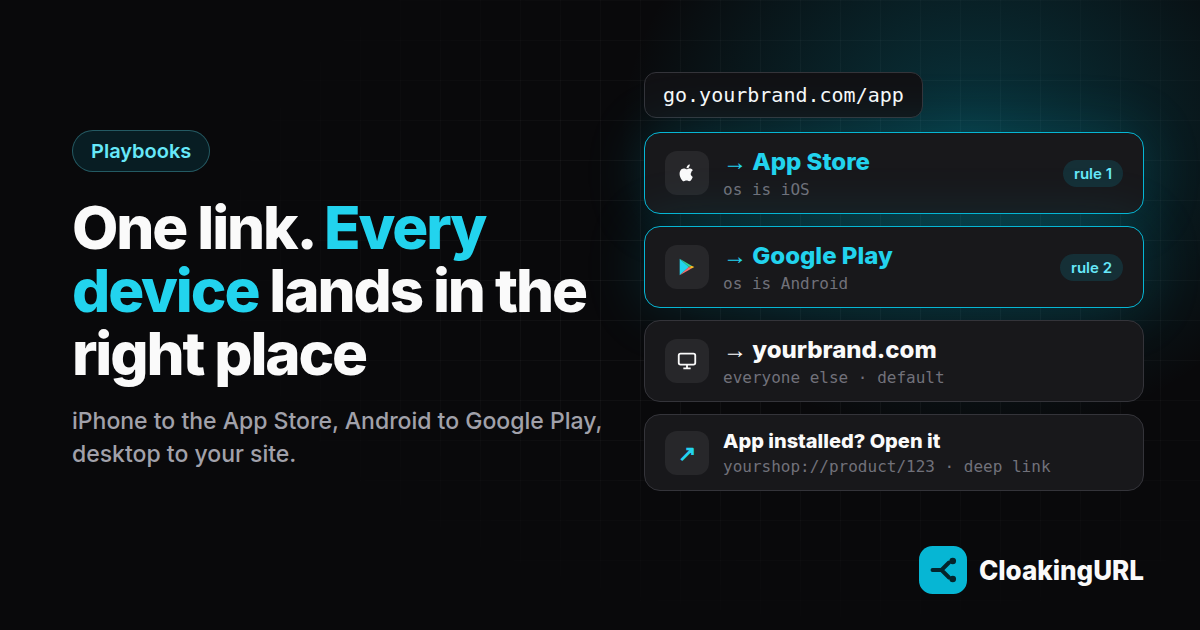
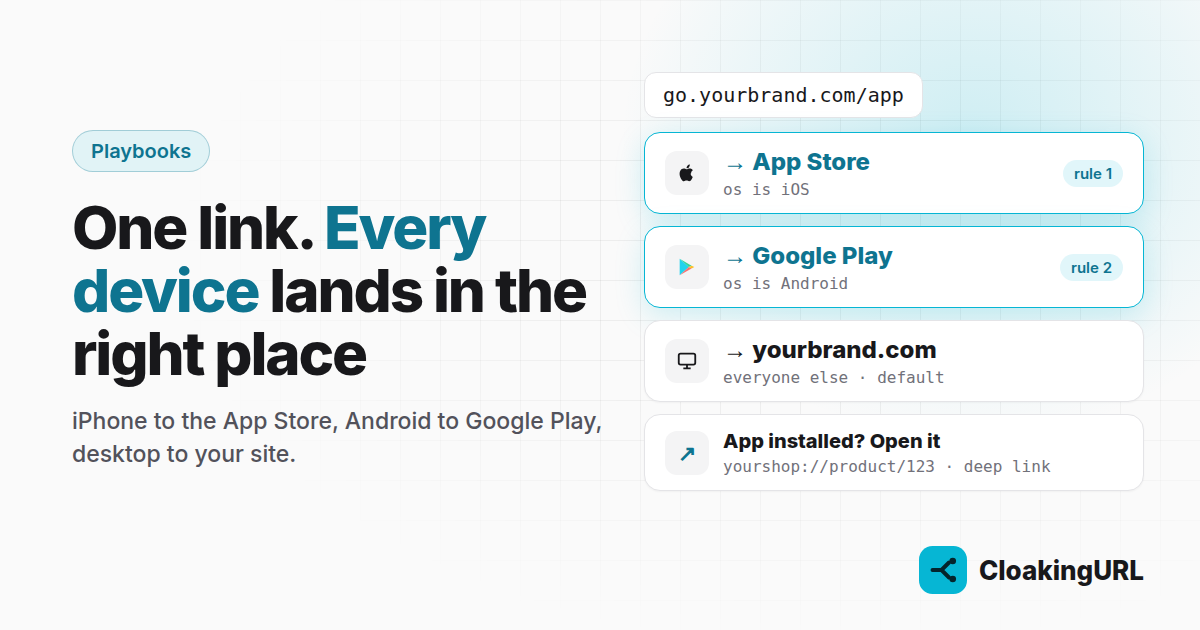
Most app campaigns still ship two buttons: “App Store” and “Google Play”. Every extra choice costs taps, and on a TikTok bio or a printed poster you only get one link anyway. With smart routing, one short link does the choosing for the visitor.
The problem with one destination
Say your bio link points to your website. An iPhone user lands on a desktop-style page, looks for the download button, taps it, and only then reaches the App Store. Android users do the same dance. Desktop users, who can't install a phone app at all, see a “Download the app” page that is useless to them.
Every one of those steps loses people. The fix is to decide before the page loads, based on the device the visitor is actually using.
Option 1: send each device to its store
Device routing lives in Deeplinks (Starter plan and up). Create a deep link such as go.yourbrand.com/app with your website as the web URL, and fill in only the store fields:
- App Store URL → your App Store listing, for iPhones and iPads
- Play Store URL → your Google Play listing, for Android
With no app URL set, each phone goes straight to its store. Everyone else (Windows, macOS, Linux) gets the web URL: your website.
That's it. One link, three outcomes, and you can change any of them later without touching the link you've printed or posted.
Option 2: open the app if it's installed
Sending an existing customer to the store is a wasted click: they already have the app. A deep link (Starter plan and up) goes one step further:
- On iOS and Android it tries to open your app at the right screen, for example
yourshop://product/123. - If the app doesn't open within the wait time (1.8 seconds by default), it falls back to the App Store or Google Play.
- Tablets and desktops can get their own URL, and everything else gets the fallback URL.
This is ideal for product links in stories, push-style promotions and email: customers land inside the app, new users land in the store.
Deep links use your app's own URL scheme. If your developers also set up Apple's Universal Links and Android's App Links, the operating system can open the app straight from a web URL; a short link in front keeps working either way.
Which one should you use?
- Stores only when the goal is new installs and your app has no deep-link scheme yet.
- App URLs too when many of your visitors already have the app, and you want to take them to a specific screen.
- Both: keep a stores-only link in your bio, and create deep links for individual products or offers.
Measure it
The Variant performance table on the link's A/B testing tab shows clicks and visitors for each outcome: deeplink:ios, deeplink:android, deeplink:desktop, and default for the web URL. If desktop traffic is bigger than you expected, that's a sign to give desktop visitors a better page, maybe with a QR code they can scan with their phone.
Not sure which store page or landing page converts better? Put two behind the same link and A/B test them without touching your ads. And if you don't have a native app at all yet, you can still get onto the home screen: turn your website into an installable app.
Set it up
- Smart routing guide: fields, operators and the iOS/Android example step by step.
- Deep links guide: every field, and how to tune the wait time.