A/B test your landing pages without touching your ads
Split traffic between two pages behind the same short link, keep each visitor on one version, and move all traffic to the winner in one click.

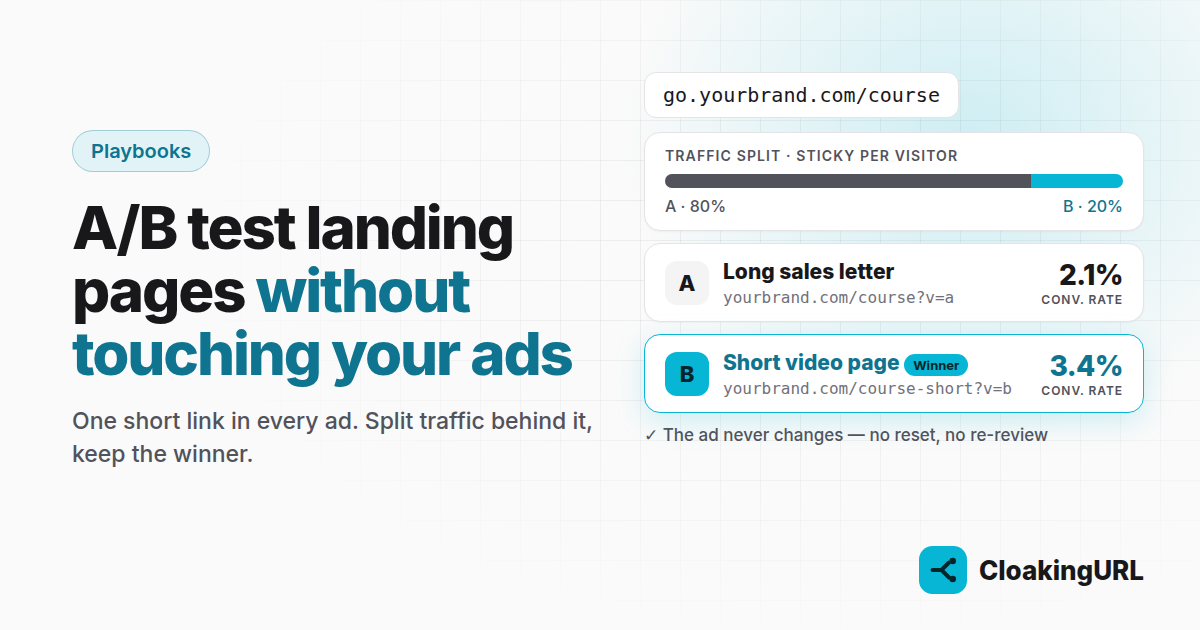
Changing the URL in a running ad often resets its learning, and sometimes sends it back into review. If the ad points to a short link instead, you can test as many landing pages as you like behind it, and the ad never knows.
How a split works
On a link's A/B testing tab you add variants, each with a URL and a weight. Weights are relative: 70/30 and 7/3 split traffic the same way. Every click that no targeting rule has already handled is assigned to a variant.
You choose how assignment works:
- Per click: every click rolls again. Good for rotating offers or spreading traffic across several pages.
- Per visitor (sticky): the same person keeps seeing the same variant, based on their IP address and browser. This is what you want for landing-page tests, because people often come back a few times before they buy.
A worked example
You sell an online course. Page A is your long sales letter; page B is a short page with a video and a single button. You want to know if B converts better without risking the whole budget.
- Create
go.yourbrand.com/courseand put it in all your ads. - On the A/B testing tab add A →
yourbrand.com/course?v=awith weight 80, and B →yourbrand.com/course-short?v=bwith weight 20. - Choose Per visitor (sticky) and save.
Now 80% of new visitors see the page you trust, and 20% see the challenger.
Tag every variant
The ?v=a and ?v=b in the URLs matter. Your checkout, your analytics tool or your CRM can read that parameter and record which page produced each sale. The Variant performance table in CloakingURL shows clicks and unique visitors per variant; your sales data shows what those visitors did.
Anything the visitor brings along is passed on too. If your ad adds utm_source=facebook to the short link, the landing page receives utm_source=facebook&v=b. That works with standard UTM campaign parameters in Google Analytics and with auto-tagging from ad platforms such as Google Ads' ValueTrack parameters.
Deciding the winner
- Let each variant collect at least a few hundred visitors before you judge it. Early numbers swing a lot.
- Compare conversion rate, not raw sales: B had a smaller share of traffic.
- When you have a winner, give it all the weight, or make it the link's default destination and remove the variants. The ads keep running untouched.
Combining splits with targeting
Rules run first. You could send all iPhone users to a mobile-first page with a rule (routing by device works the same way), and split everyone else between A and B. Just remember that the split only sees the traffic the rules didn't take.
Affiliates use the same split to compare two offers per country: see running an affiliate campaign across countries.
Plans
A/B testing is on Starter (3 split-tested links) and unlimited from Pro. The A/B testing guide walks through every setting.