Track conversions from Google Ads, Meta and affiliate networks on every short link
Pass a click ID to your landing page or network, report the sale to one postback URL, and see conversions, conversion rate and revenue per link.
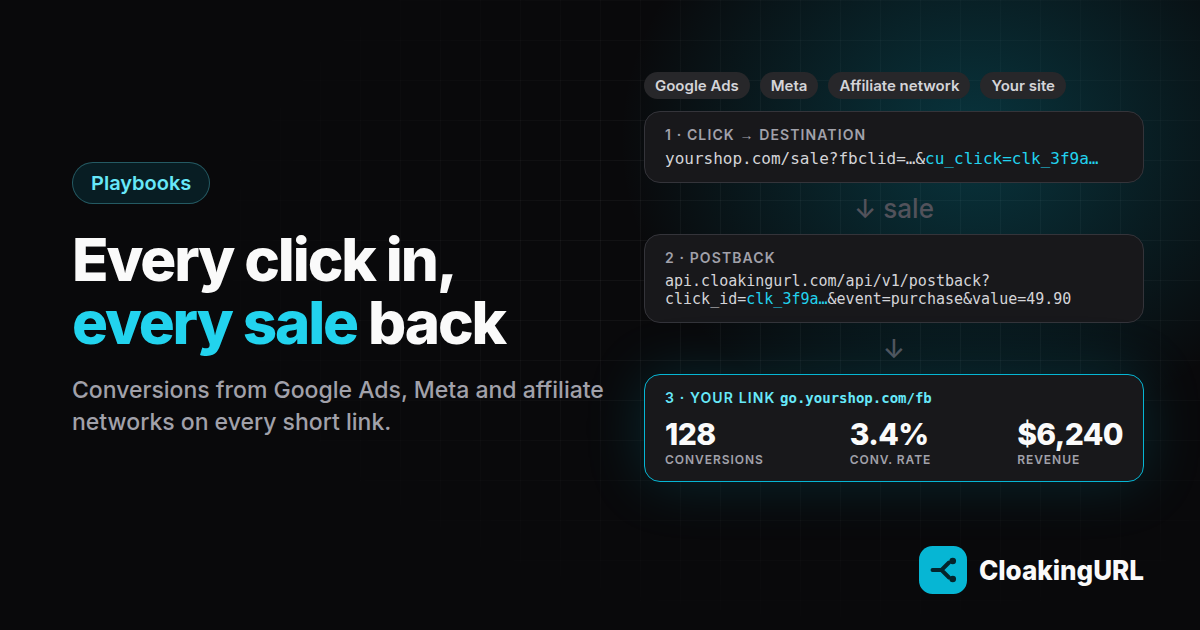
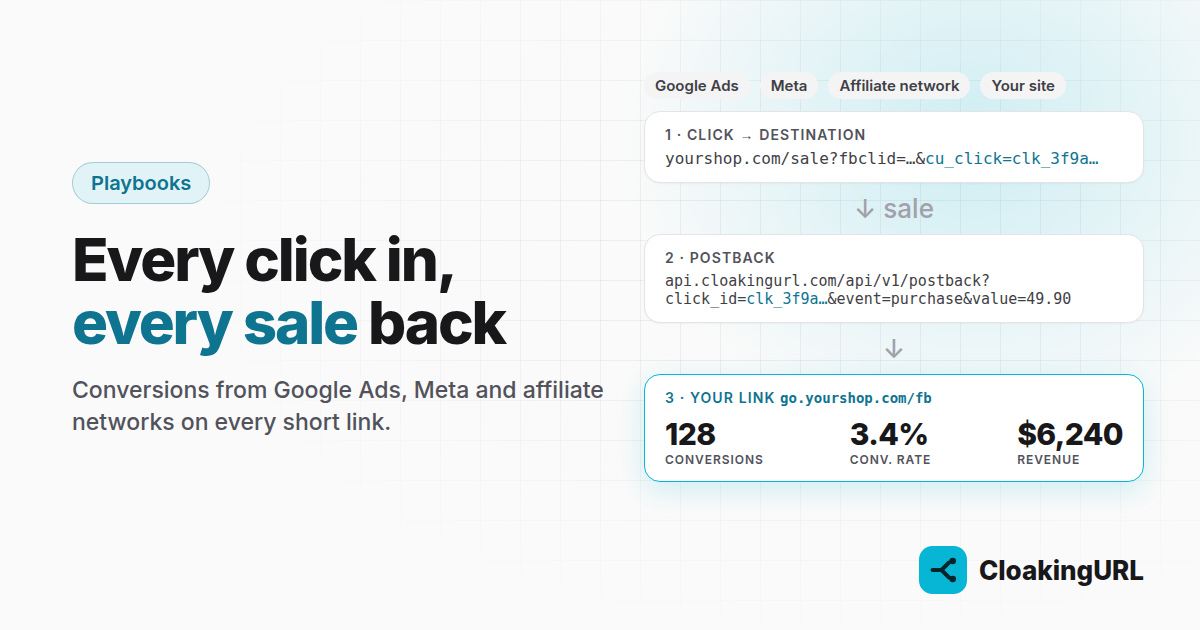
Clicks tell you which link got attention. Conversions tell you which link made money. If your ads, posts and affiliate offers all run through short links, the link is the one place that sees every campaign, whichever platform it came from. This guide shows how to get your sales, leads and installs back onto those links.
How conversion tracking works in CloakingURL
It takes four steps, and only the third one is new work for you:
- Every click gets an ID, such as
clk_3f9a…. - The destination receives it: as
cu_click=clk_…on your landing page, or as your affiliate network's sub-ID. - You report the conversion to your project's postback URL with that ID, from your server, your thank-you page or the network.
- It shows on the link that got the click: conversions, conversion rate and revenue, per targeting rule and per A/B variant too.
Attribution is last click on your link, and conversions are on every plan (100 a month on Free, more on paid plans).
Step 1: send the click ID to the destination
Open the link you use in your ads and, on the Basic tab, switch on Pass click ID. From now on every visitor lands on something like:
https://yourshop.com/sale?utm_source=facebook&fbclid=…&cu_click=clk_3f9a…
Everything the visitor brought (UTM tags, Google's gclid, Meta's fbclid) is still passed through, so nothing changes for your existing tracking.
For an affiliate network, use its own sub-ID parameter with the {click_id} placeholder in the destination instead, for example https://network.com/offer?aff_sub={click_id}. The placeholder is replaced on every click.
Step 2: get your postback URL
Open Conversions under Developer. You get a URL like this one, with a token that belongs to your project:
https://api.cloakingurl.com/api/v1/postback?token=pb_…&click_id=clk_…&event=purchase&value=49.90¤cy=USD&txn_id=ORDER123
- event: purchase, lead, signup, subscribe, install, page_view or custom.
- value and currency: the revenue or payout.
- txn_id: your order ID. The same one is only counted once, so a retry never doubles a sale.
The token can only record conversions on clicks your project actually received. If it ever leaks, rotate it on the same page.
Step 3: report conversions
From your own website or backend
Save cu_click from the landing URL with the visitor's session or order. When the order is paid, call the postback from your server:
curl "https://api.cloakingurl.com/api/v1/postback?token=$TOKEN&click_id=$CLICK_ID&event=purchase&value=49.90&txn_id=$ORDER_ID"
No backend? The Conversions page gives you two copy-paste snippets: one keeps the click ID in a cookie on your landing pages, the other fires the postback as an invisible image on your thank-you page.
Alongside Google Ads and Meta
Keep the Google tag, the Meta Pixel and the Conversions API exactly as they are; Google explains its side in about conversion measurement. Wherever you fire their purchase or lead event, call your CloakingURL postback too, with the stored cu_click and the same order ID as txn_id.
What you get on top: conversions per short link, per country rule and per A/B variant, side by side for every platform. If Facebook traffic goes through go.yourshop.com/fb and Google through go.yourshop.com/google, one dashboard compares them on the same definition of a sale.
Expect the numbers to be close to the ad platforms' but not identical: they use their own attribution windows and models, while CloakingURL counts the last click on your link.
With affiliate networks (S2S postback)
- Send the click ID as the network's sub-ID:
?aff_sub={click_id},?subid={click_id}or whatever the network calls it. - In the network's postback settings, paste your postback URL and map its macros. The sub-ID goes to
click_id, the payout tovalue, the transaction ID totxn_id:
https://api.cloakingurl.com/api/v1/postback?token=pb_…&click_id={aff_sub}&event=purchase&value={payout}¤cy=USD&txn_id={transaction_id}The macro names in braces differ per network; use the ones from its documentation. This is how you finally see earnings per click by country for a link that routes every country to its own offer.
Step 4: test it, then read the numbers
On the Conversions page, the tester checks a click ID without recording anything: open your link, copy cu_click from the address bar, paste it in. Once real postbacks arrive:
- Overviews shows conversions, conversion rate, revenue and conversions by event for the whole project.
- Each link shows Conversions, Conv. rate and Revenue, and the Geo targeting and A/B tabs break them down per rule and per variant, which is what turns an A/B test from "more clicks" into "more sales".
- The Conversions page lists the latest 50, and the
conversion.createdwebhook can push each one to your own systems.
A note on bots
Bots that a cloaked link sends to its safe page never receive a click ID, so they can't produce conversions, and bot clicks are already left out of your visitor numbers. Link cloaking explained covers how they are detected.
Set it up
- Conversion tracking guide: every field, answer code and snippet.
- Webhooks guide: receive
conversion.createdin your own app. - New here? Create a free account, connect your domain and start counting what your links earn.